
Apps to Clean Storage Safely on Android Without Deleting Important Files
Running out of storage is one of the most common Android problems.
Photos, videos, cache, and leftover files slowly fill your device.
Using the right apps to clean storage safely on Android can solve this.
Many cleaning apps promise instant results but can cause problems.
Some delete useful files or show aggressive ads.
Others run constantly in the background and slow your phone.
This guide focuses on safe, reliable tools that actually help.
You can free up space without risking your data or performance.
Why Storage Gets Full So Fast on Android
Storage does not fill up only because of photos and videos.
Apps themselves generate large amounts of hidden data.
Cache and Temporary Files
Apps store temporary files to load faster.
Over time, cache can grow to:
- Hundreds of megabytes
- Several gigabytes in heavy apps
Social media and streaming apps are major contributors.
Duplicate and Forgotten Files
Downloads, screenshots, and old documents often pile up.
Most users never review these folders.
Cloud backups can also create local copies that go unnoticed.
App Leftovers After Uninstalling
Some apps leave folders behind after removal.
These files stay in storage and serve no purpose.
That is why manual cleaning is not always enough.
Best Apps to Clean Storage Safely on Android
These apps focus on safe deletion and clear file identification.
They do not remove system files or personal data without permission.
1. Files by Google
Files by Google is one of the safest cleaning tools available.
What It Finds
- Junk files
- Old memes and duplicates
- Large unused files
- Cached app data
Why It Is Safe
It shows exactly what will be deleted before action.
No automatic risky deletions are performed.
It is developed by Google and integrated with Android systems.
It is one of the best apps to clean storage safely on Android.
2. SD Maid
SD Maid specializes in finding leftover files.
Main Features
- Scans for orphaned folders
- Removes old system junk
- Cleans app caches
Best Use Case
Ideal for users who frequently install and uninstall apps.
It helps remove hidden files that normal cleaners miss.
Advanced features are optional and not required for basic cleaning.
3. Simple File Manager + Cleaner Tools
Some file managers include built-in cleaning functions.
Benefits
- Manual control over files
- No aggressive automation
- Clear folder structure
Why This Is Safer
You see what you delete.
There is no risk of system-level file removal.
This is useful for users who want more control.
Examples include lightweight file manager apps with cleaning options.
4. Gallery Cleanup Tools
Photo and video files take the most space.
What These Tools Do
- Detect duplicate images
- Find blurry photos
- Identify large video files
Why They Help
Deleting media frees massive storage instantly.
It also improves gallery performance and backups.
These tools focus only on media, reducing risk of data loss.
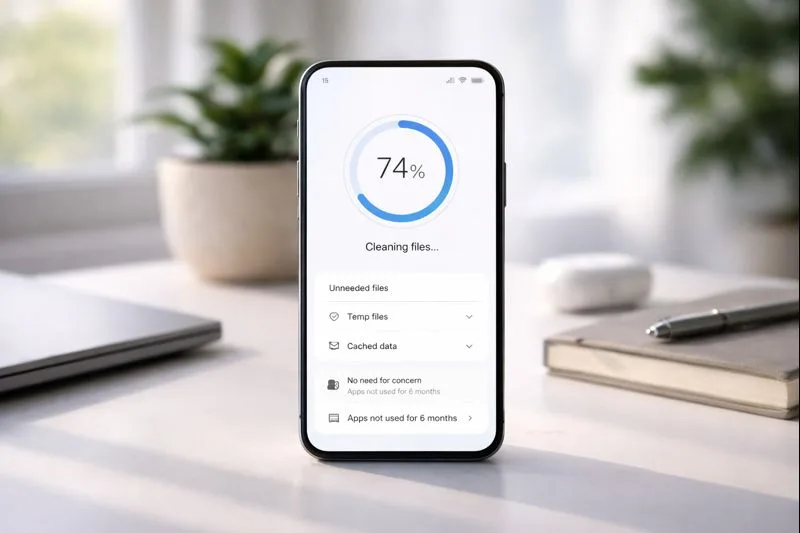
How These Apps Clean Storage Without Risk
Safe cleaning relies on visibility and user control.
Clear File Categories Instead of System Files
Good cleaning apps focus on:
- Cache
- Duplicates
- Downloads
- Temporary files
They avoid:
- System folders
- App configuration files
- Personal documents
This keeps Android stable and functional.
No Forced Background Scans
Aggressive cleaners constantly scan storage.
This increases battery usage and slows phones.
Safe cleaners scan only when you open the app.
This avoids unnecessary system load.
How to Clean Storage Manually for Better Results
Apps help, but manual steps also make a difference.
Review Downloads Folder
Many large files hide in Downloads.
Look for:
- Old installers
- Video files
- Documents you no longer need
Deleting these files often frees gigabytes instantly.
Check Messaging App Media
Messaging apps store:
- Photos
- Videos
- Voice messages
Over time, this becomes massive.
Delete old media manually or clear app storage selectively.
Move Files to Cloud or External Storage
If you want to keep files:
- Upload to cloud storage
- Transfer to SD card if available
This keeps your phone fast without losing data.
Mistakes to Avoid When Cleaning Storage
Some actions can cause problems instead of helping.
Avoid One-Tap Boost Apps
Apps that claim to:
- Instantly clean everything
- Boost performance dramatically
Often use misleading methods and heavy ads.
They can also remove important files.
Do Not Delete System Folders
Deleting system files can cause:
- App crashes
- Boot problems
- Update failures
If you are not sure what a folder does, leave it alone.
Avoid Constant Cleaning
Cleaning too often can reduce performance.
Some cache is useful and speeds up apps.
Clean when storage is low, not daily.
Signs That Storage Is Causing Performance Issues
Full storage affects more than file saving.
Slower App Installation
Android needs free space to unpack apps.
Low storage causes failed or slow installs.
Lag During Updates
System updates require temporary storage space.
Low space can delay or block updates.
Camera Problems
Photos may fail to save when storage is full.
This is a common and frustrating issue.
Freeing storage improves overall system reliability.
Choosing Safe Cleaning Apps in the Future
Not all cleaners are equal.
Check Developer Reputation
Well-known developers are safer choices.
Avoid apps from unknown publishers with few downloads.
Read Permission Requests
Cleaning apps should not need:
- Contacts
- Microphone
- Location
If they ask for unrelated permissions, avoid them.
Look for Clear File Previews
Good cleaners show file details before deletion.
This reduces accidental data loss.
Final Thoughts on Apps to Clean Storage Safely on Android
Storage management is essential for smooth phone performance.
But unsafe cleaning can cause more harm than good.
The apps to clean storage safely on Android in this guide focus on:
- Clear file identification
- User confirmation before deletion
- No system-level interference
Combined with basic manual checks, they can free large amounts of space.
This improves speed, stability, and daily usability.
A cleaner phone is not just about more space.
It is about better performance and fewer problems.
Choose tools that respect your data and your device.

Dr. Ethan Marlowe is a science communicator specializing in human biology, neuroscience, and the hidden mechanisms of the body. He focuses on transforming complex research into clear, engaging explanations that help readers understand how their bodies work. At The Human Body Facts, Ethan brings curiosity, accuracy, and a modern scientific approach to every article.